Get started
MCP Server
Use Mataparser's API through the Model Context Protocol.
A Model Context Protocol (MCP) server implementation that integrates Mataparser for document parsing capabilities. Our MCP server is open-source and available on GitHub.
Features
- Parsing document or images into structured JSON
- Get API request log detail
Installation
You can either use our remote hosted URL or run the server locally. Get your API key from https://mataparser.cloud/app/api-keys
Do not setup Webhook URL if you want to use the MCP server, because the MCP Server need to respond directly to the parsing request, while webhook is for asynchronous notification after parsing is done.
Remote hosted URL:
Manual installation by cloning Github repository:
Running on Claude Desktop
Use manual installation to run Mataparser tool on Claude Desktop.
Before running Mataparser tool in Claude Desktop, please register Mataparser MCP server in Claude Desktop config JSON.
- 1
Open Claude Desktop Settings
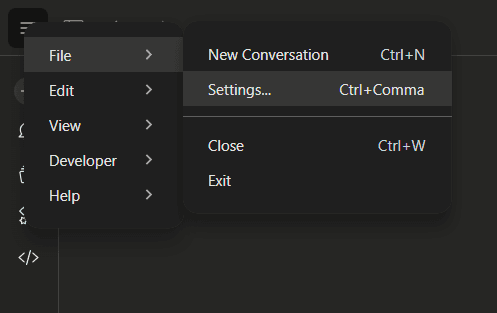
Click menu "Settings" to open the configuration window.
- 2
Access Developer Settings
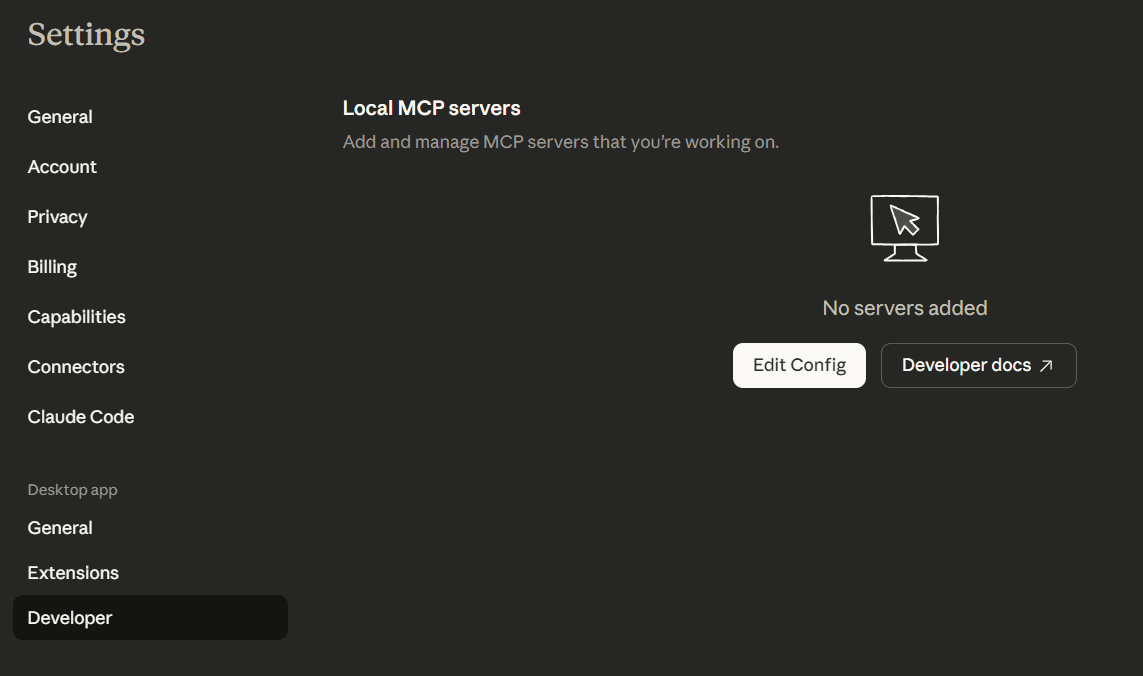
Navigate to the "Developer" tab in the left sidebar. Then click the "Edit Config" button to open the configuration file.
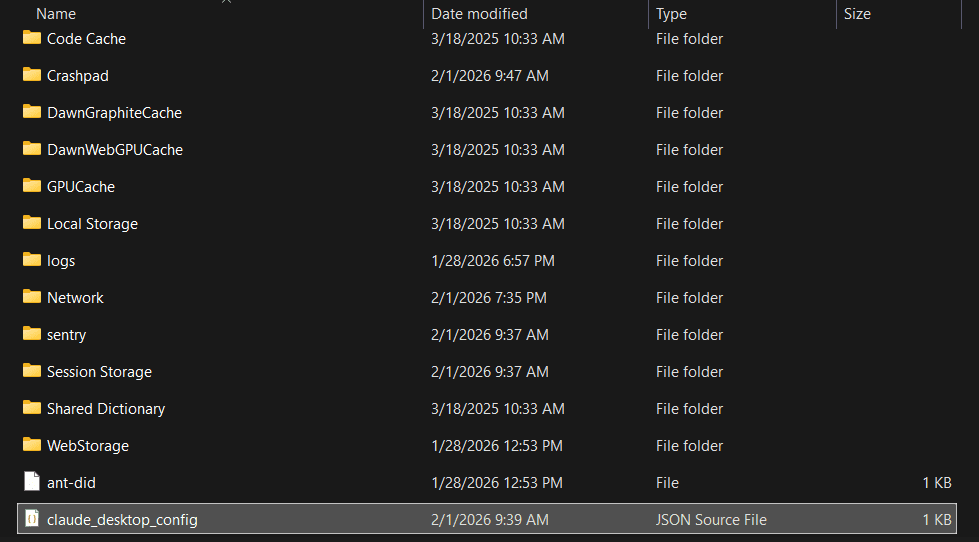
Now you can see "claude_desktop_config.json" file, open it with your IDE like Visual Studio Code to edit.
- 3
Configure the MCP Server
Replace the contents of the configuration file with the following JSON structure. This configuration tells Claude Desktop to start the Mataparser MCP Server with access to specific directories:
Replace the "C:\\mataparser-mcp-server" value to location that you clone the "mataparser-mcp-server" repository before.
- 4
Reload MCP Configuration
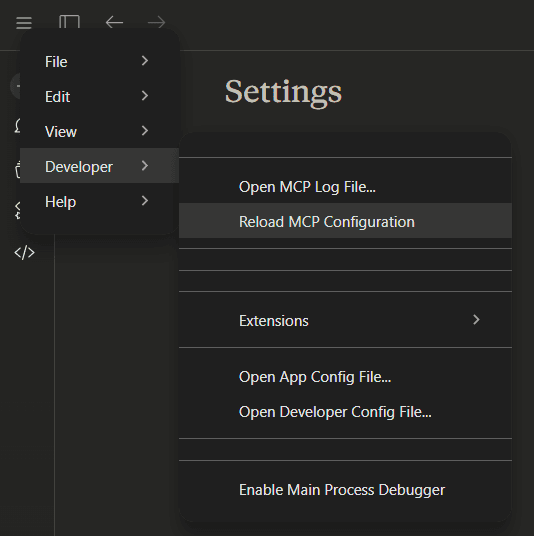
Click menu "Reload MCP Configuration" to reload the config. Then you can see the Mataparser MCP Server is running.
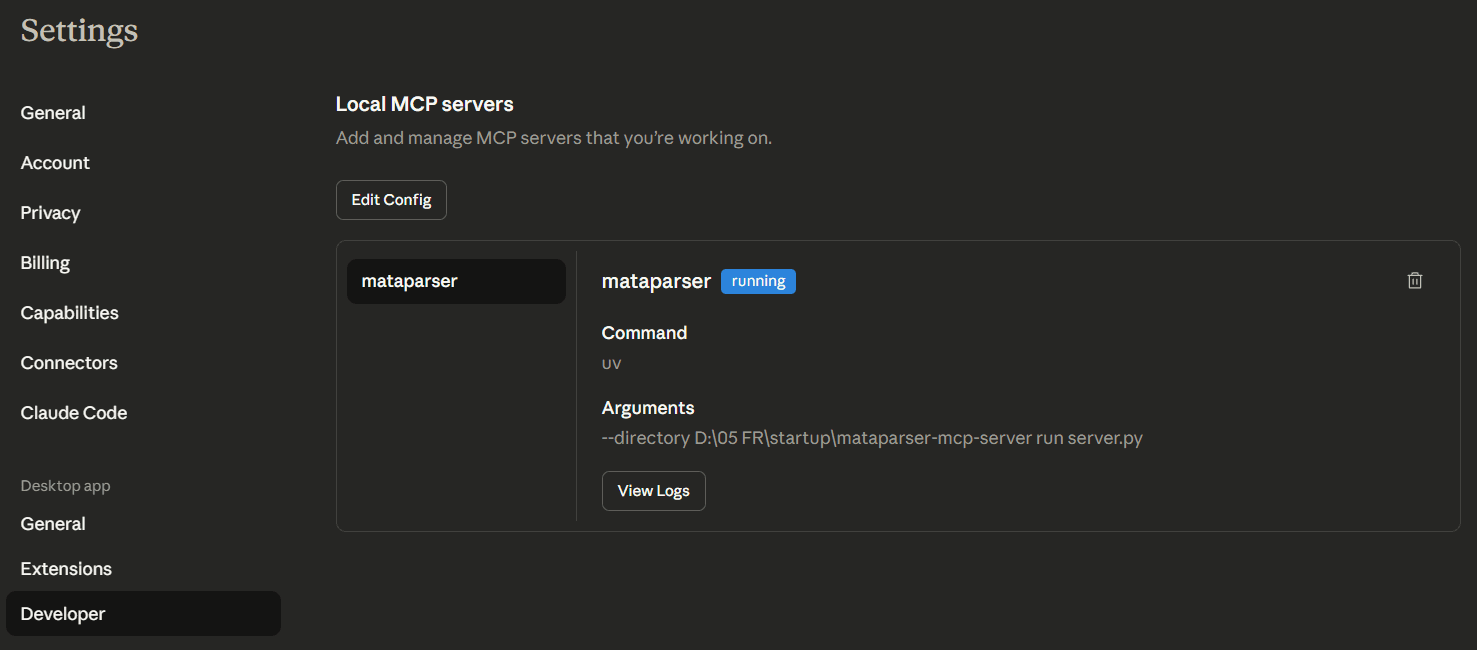
- 5
Test the MCP Server
Test the Mataparser MCP Server by chat with claude. Try to run a prompt below, replace the file path with yours.
The result:
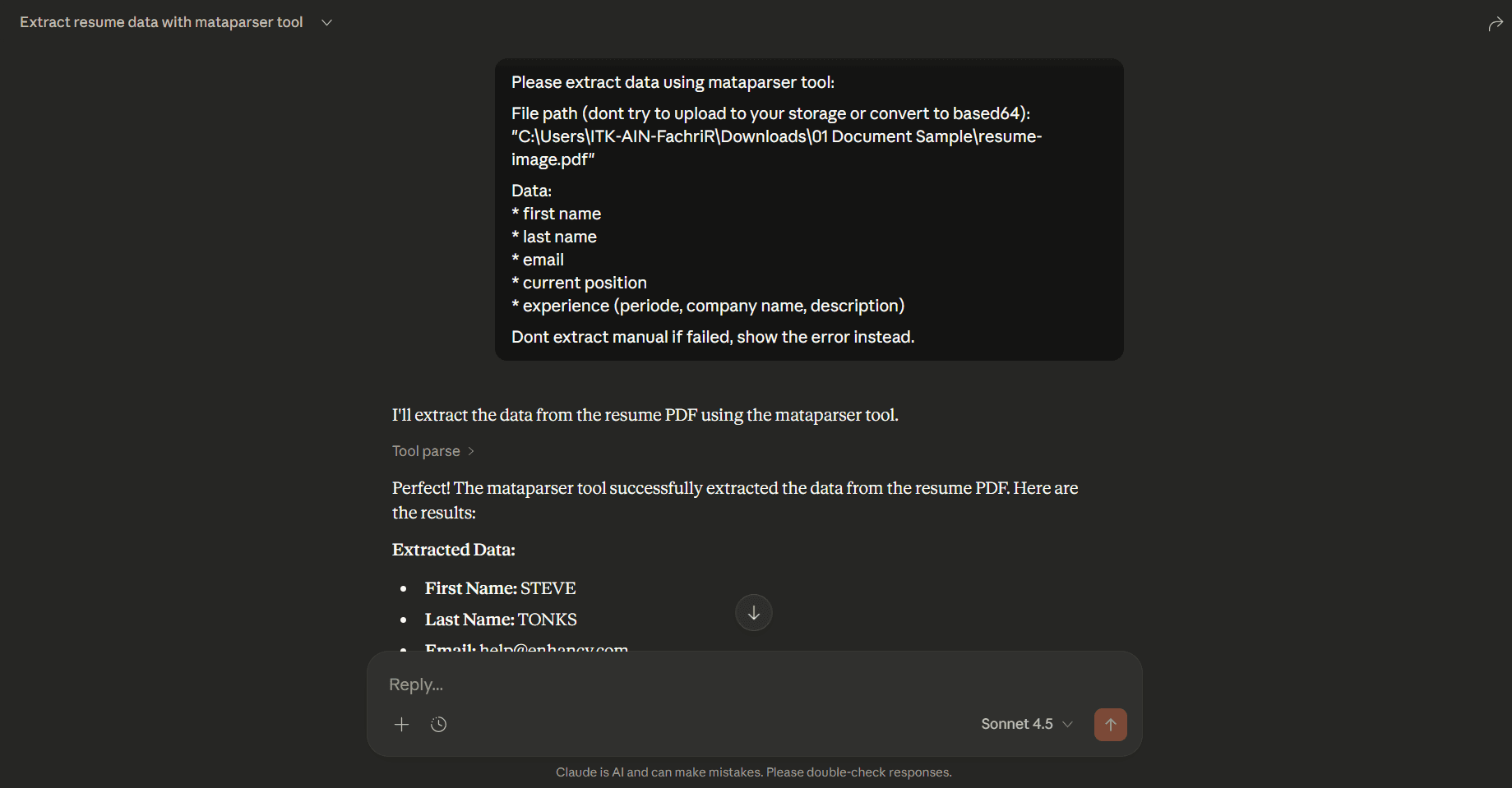
Congratulation! The Mataparser MCP Server already running on your Claude Desktop.